
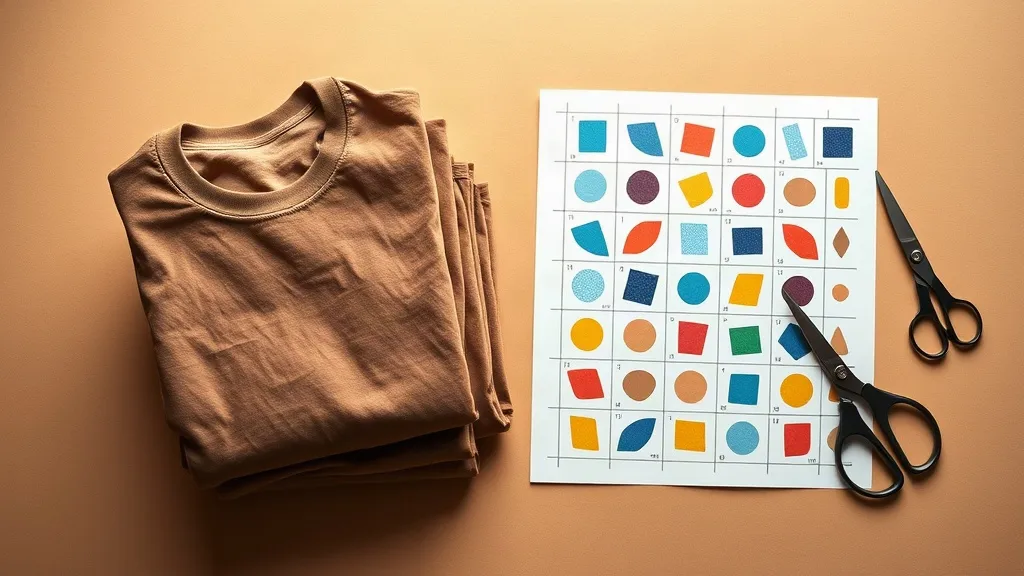
Most people who start printing their own shirts lose money in the same quiet way: they buy a stack of blanks, order transfers, and then discover the artwork was sized wrong, the fabric fought the ink, or the minimum order swallowed the profit. The fix usually is not a bigger budget. It is a tighter pairing between the garment and the print method. That is where shaka wear blanks and a DTF Gangsheet Builder start to make sense together, because one is built for heavy daily wear and the other lets you fill a single sheet with exactly the designs you need.
Below is a working approach I have used for small runs: pick the blank, prep the art, build the sheet, press it, and price it so the whole thing actually pays for itself. No shortcuts, no filler.
Why Heavyweight Blanks Change the Print Result
A direct-to-film transfer is only as good as the surface it lands on. Thin, loosely knit cotton tends to ripple under heat, and that ripple shows up as a wavy edge or a patchy bond once the film cools. Heavier jersey holds its shape through the press, which keeps the transfer flat while the adhesive cures.
Shaka Wear's core line leans toward 6 to 7 ounce cotton, boxy cuts, and a dense weave. In practice that means three things for a printer:
- The shirt tolerates repeated pressing without scorching, so you can fix a misaligned design instead of trashing the blank.
- Color holds closer to true on dark garments because the fabric does not pill through the ink layer.
- The drape stays structured, so a large front or back print does not distort when worn.
If you are printing for resale, that last point matters more than most people expect. A customer judges the print partly by how the shirt hangs, and a heavyweight body keeps a big graphic looking intentional rather than stretched.
Fabric Blends and What They Do to DTF
Pure cotton is the safest bet for DTF. Polyester blends also work, but the ink sits slightly differently and can look glossier under direct light. On very high-poly garments, lower your press temperature a touch and shorten the dwell time, then check the peel while the film is still warm. Cotton-poly blends in the 60/40 range tend to be the forgiving middle ground for beginners.
One habit worth building: press a scrap of the exact blank you plan to use before committing a full sheet. Ten seconds of testing saves an entire run.
What a DTF Gangsheet Builder Actually Does
A gangsheet is a single printed film packed with multiple designs, laid out edge to edge so you pay for the sheet rather than for each individual image. The builder is the tool that lets you arrange that layout yourself: upload art, set dimensions, drag pieces around, and see the total before you order.
The advantage is control over waste. If you need twelve shirt fronts, six sleeve logos, and a handful of small chest prints, you can nest them on one sheet instead of ordering separate runs for each. For a small brand testing designs, that flexibility is the difference between a viable test and an expensive gamble.
Setting Up Files That Print Cleanly
Most problems trace back to the file, not the press. A few rules that hold up across shops:
- Work at 300 DPI at final print size. Scaling a small image up in the builder will soften edges no matter how good the press is.
- Keep a transparent background. PNG files with real transparency avoid the white box that appears when a flattened JPEG gets printed.
- Add a small bleed. A couple of millimeters of extra color around the edge protects against tiny trimming shifts.
- Check thin lines and small text. Anything under roughly 1 mm can break up on fabric, so thicken it or drop it.
- Group your sizes. Sort designs by finished dimensions before you place them so nesting stays tight.
The DTF Gangsheet Builder shows a live preview of the layout, which is useful for catching a design that is too close to the sheet edge. Leave a margin of roughly a quarter inch on all sides so the cut is clean.
Building a Sheet Step by Step
Here is the sequence that keeps a run predictable.
1. Decide the finished print size per placement
A full front print on an adult shirt typically lands somewhere between 10 and 12 inches wide. A left chest logo sits around 3 to 3.5 inches. Sleeve prints run smaller, often 2 to 3 inches. Measure the blank's printable area first, especially on boxy cuts where the side seams sit closer to the front.
2. Upload and place with nesting in mind
Put the largest pieces down first and fill gaps with smaller ones. Rotating a design is fine as long as the artwork has no directional text, and it often frees up meaningful space on the sheet.
3. Review the total before ordering
The builder's summary tells you the sheet dimensions and the price. Compare that against how many finished pieces you will get. If the cost per shirt looks high, the layout is usually the reason, not the pricing.
4. Press with consistent numbers
A workable starting point for cotton is around 300 to 320 degrees Fahrenheit for 10 to 15 seconds to attach, a cold or warm peel depending on the film, then a second press of 5 to 8 seconds with a cover sheet. Always confirm against the film supplier's instructions, since adhesive chemistry varies.
Pricing a Small Run Without Guesswork
Cost per shirt is where most beginners get surprised. Build the number from four parts:
- Blank cost, including shipping.
- Film cost divided by the number of designs on the sheet.
- A small allowance for misprints, usually 5 to 10 percent.
- Labor time for pressing and folding.
If a sheet costs a fixed amount and carries twenty designs, each design carries one twentieth of that cost. That figure, plus the blank, is your floor. Anything above it is margin. Writing this down once turns pricing from a guess into a repeatable calculation, and it makes it obvious when a design is too large to be profitable at your selling price.
Where This Pairing Works Best
Team orders, small brand drops, event merch, and sample packs for wholesale buyers all fit the same pattern: limited quantity, several designs, and no appetite for dead stock. Heavyweight blanks suit that model because they photograph well and survive shipping and handling without looking tired on arrival.
For anyone building a first catalog, the practical move is to test three or four designs on one sheet, press them on the same blank style, and let real feedback decide what gets a second run. That is a far cheaper education than ordering inventory on a hunch.
Frequently Asked Questions
Can you print DTF transfers on heavyweight cotton shirts?
Yes, and heavyweight cotton is one of the more reliable surfaces for DTF because the dense weave resists stretching during the press. Keep the temperature within the film maker's range and use a cover sheet on the second press to protect the ink layer.
How many designs fit on one DTF gangsheet?
It depends entirely on the finished size of each print. A sheet filled with left chest logos can hold far more designs than one carrying full back prints. Nest large pieces first, then fill the gaps, and check the builder's live preview before ordering.
Is it cheaper to order a gangsheet than individual transfers?
Usually yes for multi-design runs, because you pay for sheet space rather than per image. The savings disappear if your layout leaves large empty gaps, so take a minute to rearrange before you check out.
What file format should I upload to a DTF gangsheet builder?
Transparent PNG at 300 DPI at final print size is the safest choice. Flattened JPEGs bring a white background with them, which will print as a visible block around your artwork.
Do shaka wear blanks run true to size?
Their boxy cuts tend to feel roomier through the chest and shoulder than a standard retail tee. Order one sample in the size you plan to sell before committing to a full run, and measure it flat against a shirt your buyers already own.